Free Beta · v0.8.3 · Manifest V3 · No developer server
All your SEO diagnostics in one Chrome popup.
Stop juggling tabs. Search Console, GA4 and CallRail blended into one report for a single slice of traffic – plus indexing, on-page audits, structured data and tag detection, in the popup or Chrome's side panel.
- Privacy-first – no developer server
- Works on any live page instantly
- 100% Free during Beta
Target Workflows
Built for modern marketing & SEO workflows.
Agency SEOs & Strategists
Audit, diagnose, and report across client sites without tab fatigue. Triage issues and check indexing live.
In-House Marketing Teams
Verify page health before high-stakes launches. Correlate GA4 traffic spikes with on-page changes in seconds.
Solo Consultants & Freelancers
Deliver enterprise-grade data-backed insights on client calls without paying hefty subscription fees.
Founders & Growth Marketers
Monitor the numbers that matter – GSC clicks, GA4 key events, inbound calls and schema – in a single click.
Comprehensive Toolkit
Eight panels. One popup – or Chrome's side panel.
LANDING VIEW
Blended Report
Search Console, GA4 and CallRail describing one slice of traffic, side by side.
- Eight segments – organic search (default), paid, social, direct, referral or all traffic
- Period-over-period comparison with an interactive daily trend
- Save a GSC property, GA4 property & CallRail account as one named client
GSC URL Inspection
Instant Google indexing status without leaving your current tab.
- Coverage state & detailed crawl health
- Google-selected vs. user-declared canonicals
- Last crawl timestamp & user agent type
GA4 Analytics
Sessions, users, views and key events straight from the Analytics Data API.
- 30 dimensions and 18 metrics, grouped and named the way GA4 names them
- Key events read from the attributed channel, matching GA4's own report
- Period-over-period comparison & CSV export
GSC Performance
Live search visibility and clicks for any URL or verified property.
- Clicks, impressions, CTR & impression-weighted average position
- 7d / 28d / 90d / custom comparison ranges
- By query, page, country or device – whole-property or single-URL
On-Page SEO Audit
DOM-level validation of meta tags, headings, and link architecture.
- Scored PASS / WARNING / ERROR / INFO checks
- Title tag, meta description, canonical & robots
- Heading structure (H1-H6) & image alt coverage
Structured Data Schema
Parse, validate, and inspect all structured markup on the page.
- JSON-LD, Microdata & RDFa auto-detection
- Human-readable visual schema cards
- Direct shortcuts to Schema Validator & Rich Results
Tag Assistant
Surface every marketing and tracking pixel firing across frames.
- GA4, GTM, Meta Pixel & custom tag detection
- Measurement IDs, loaders, and global variables
- Multi-frame tag inventory with evidence paths
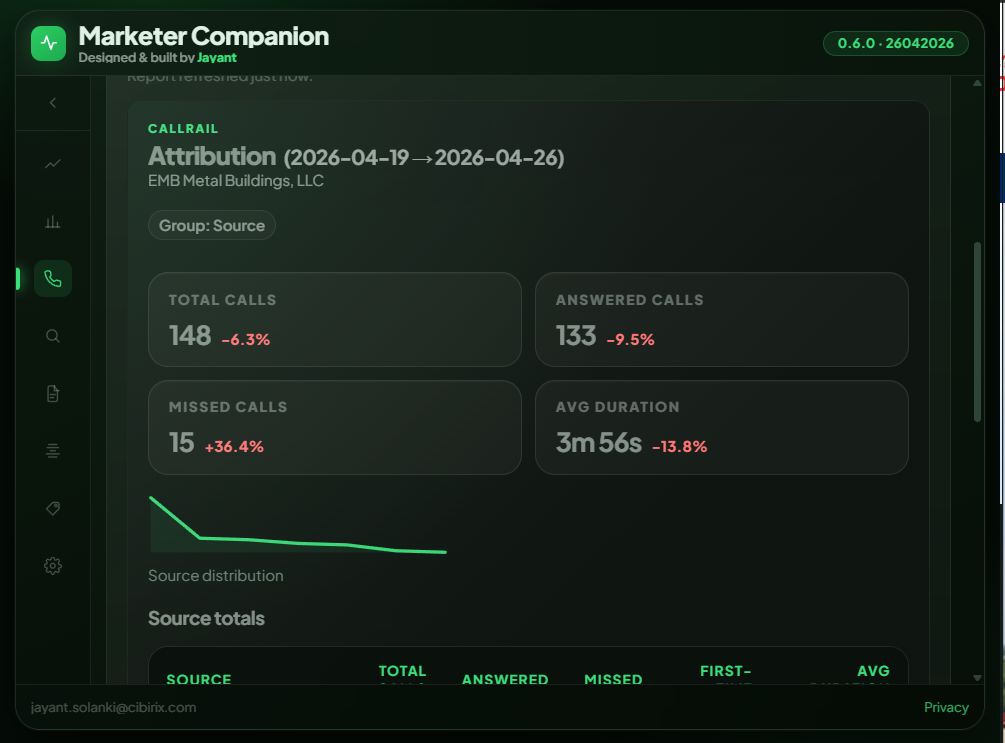
CallRail Attribution
Inbound call performance alongside your search data. Requires a CallRail API key.
- Missed rate, first-time rate & average duration, with period deltas
- Group by source, campaign, keywords, referrer or landing page
- Individual call records, summaries and transcripts
Interactive Demo
A deep look inside every module.
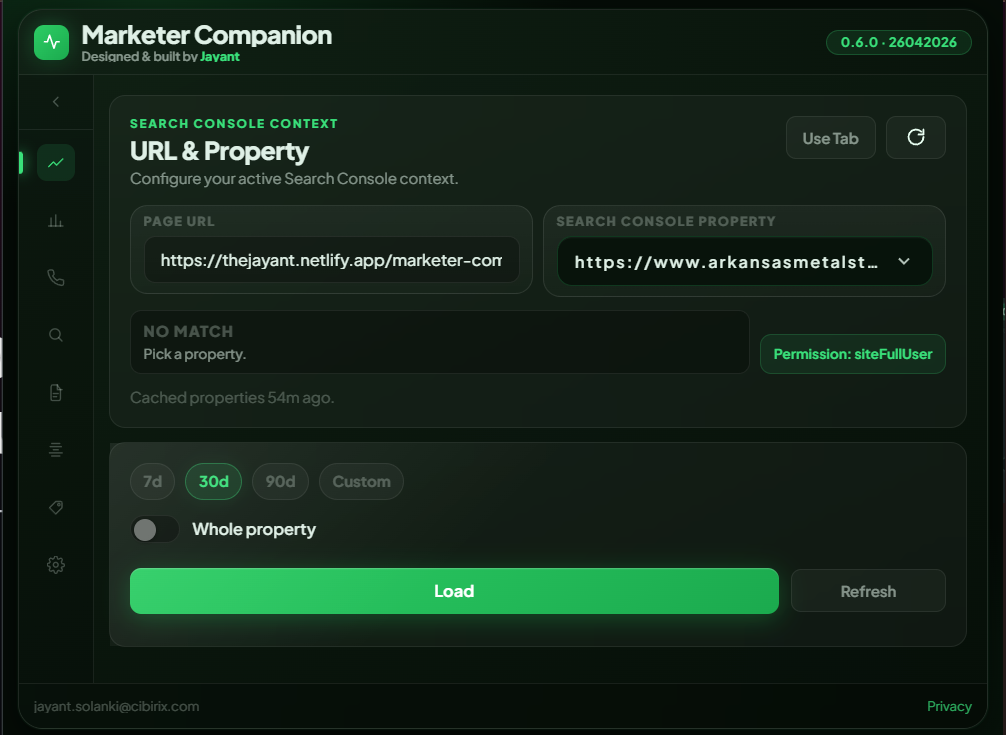
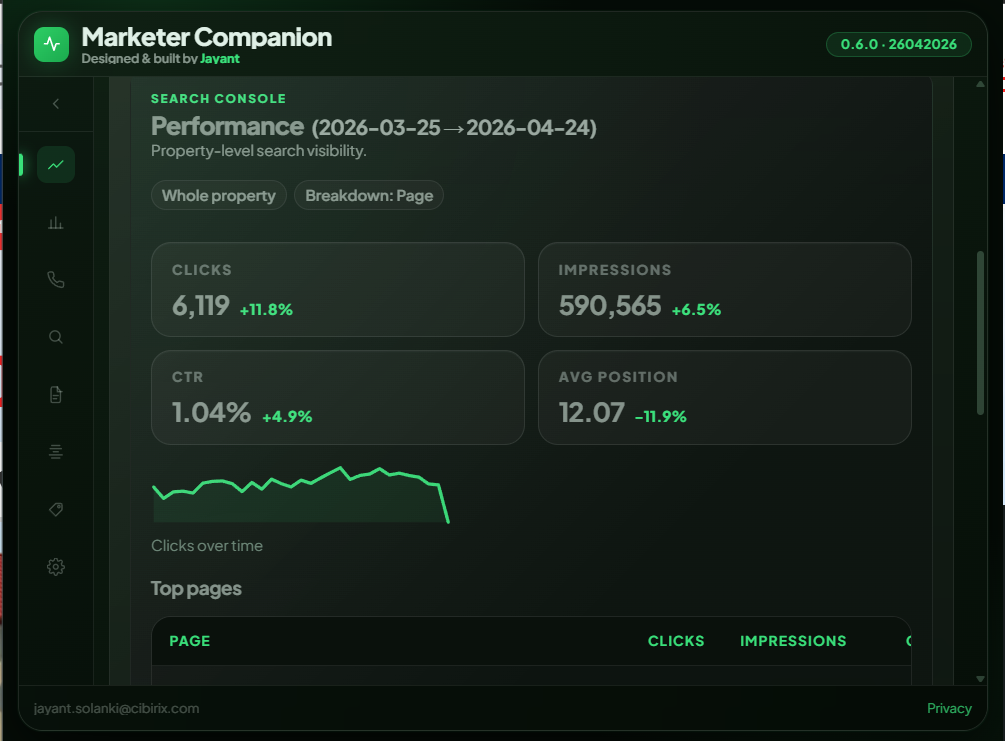
Real-time Search Console data in your popup.
Pull verified search performance data for any URL or domain without opening another tab. Switch between single-URL and whole-property view, inspect trends over time, and drill down into top queries.
- Domain-level or specific URL mode
- Interactive clicks and impressions sparkline
- Top pages breakdown table with average CTR & position
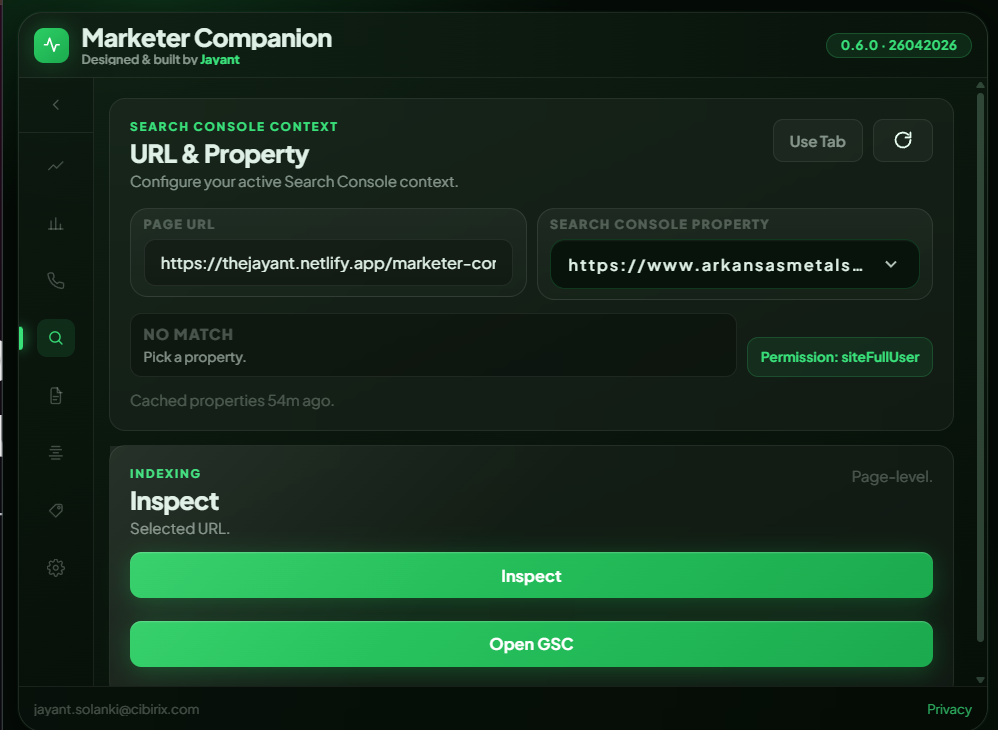
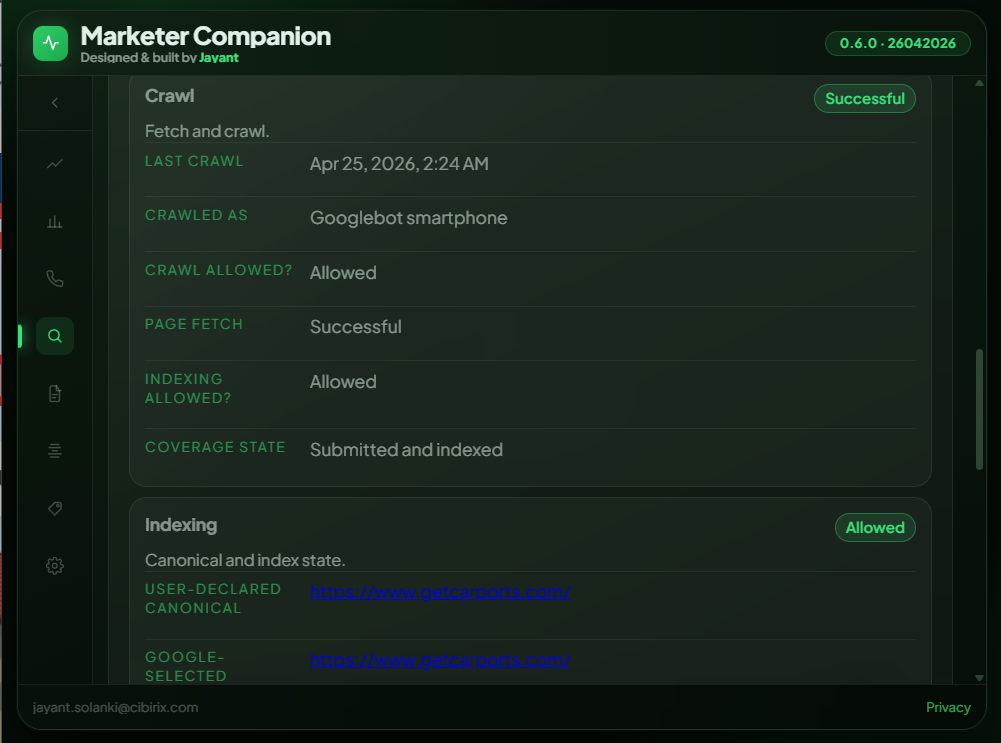
Know exactly how Googlebot sees the active page.
Trigger a live GSC URL Inspection for the current tab. See crawl date, crawl agent, fetch verdict, indexing status, and both Google-selected and user-declared canonicals immediately.
- Coverage state & crawl date verification
- Canonical tag validation against Google's index
- Indexing permissions status check
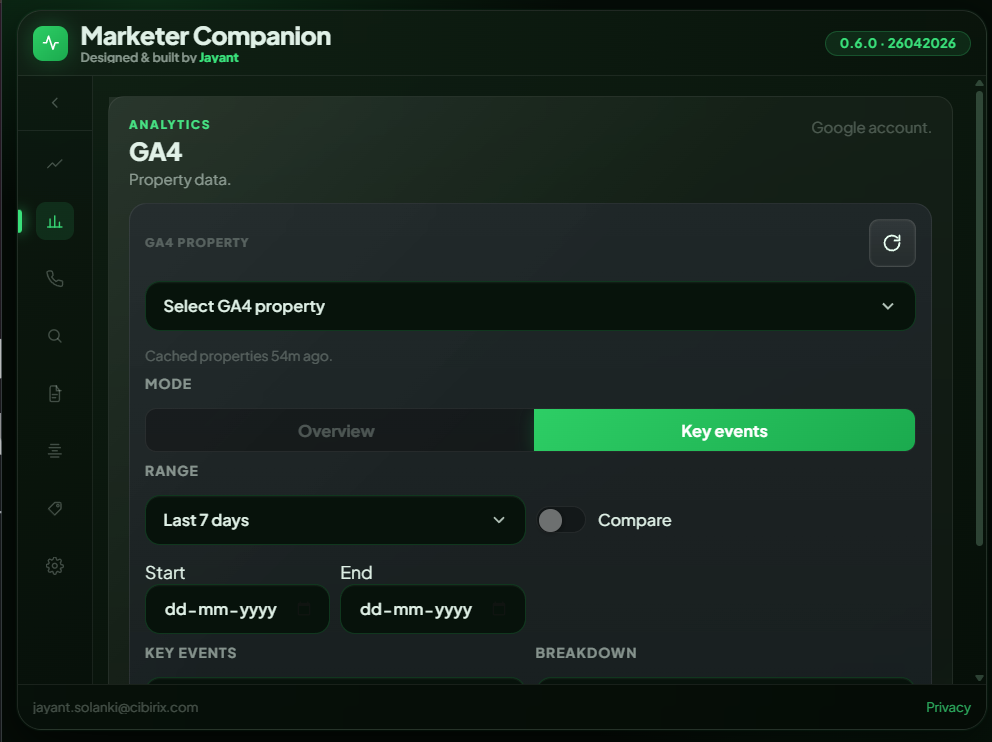
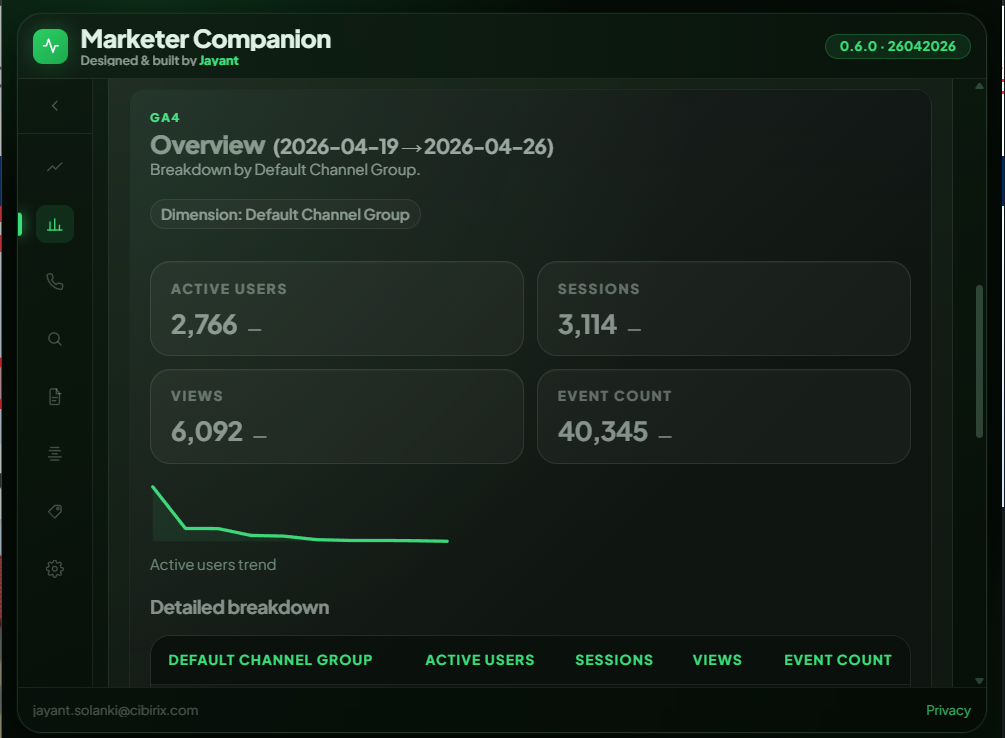
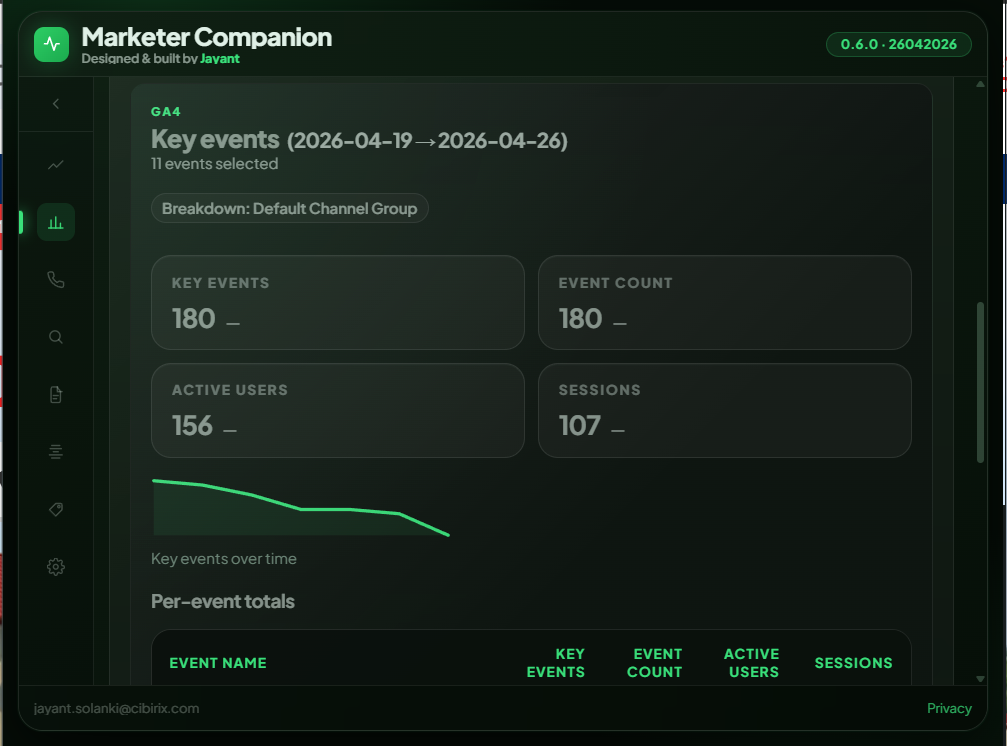
GA4 traffic & conversion metrics on demand.
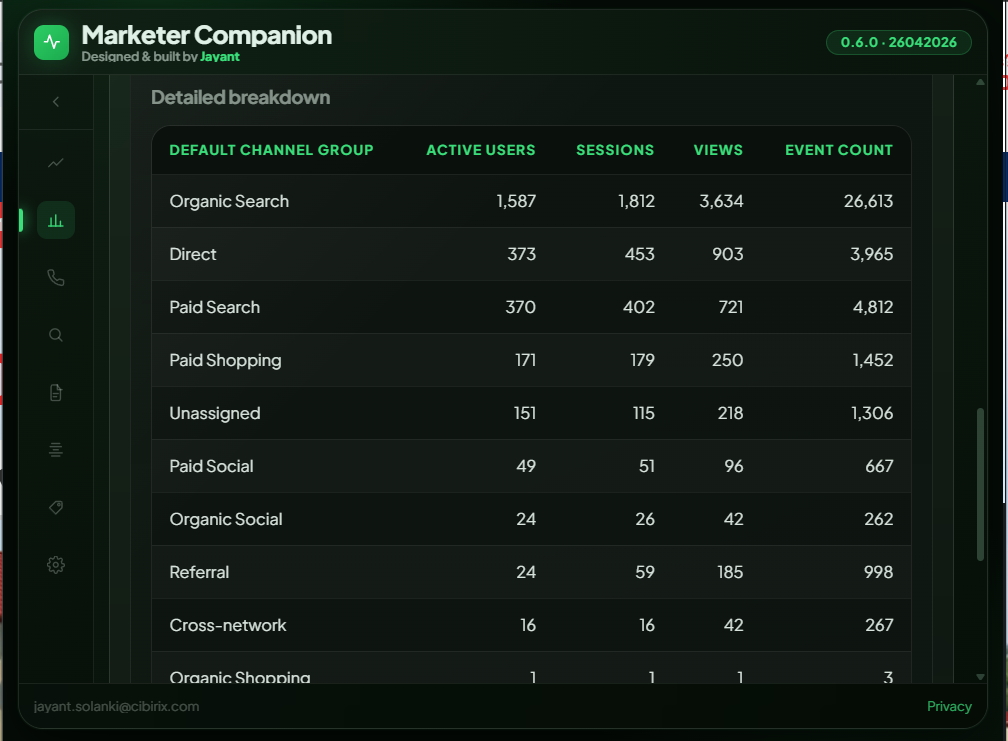
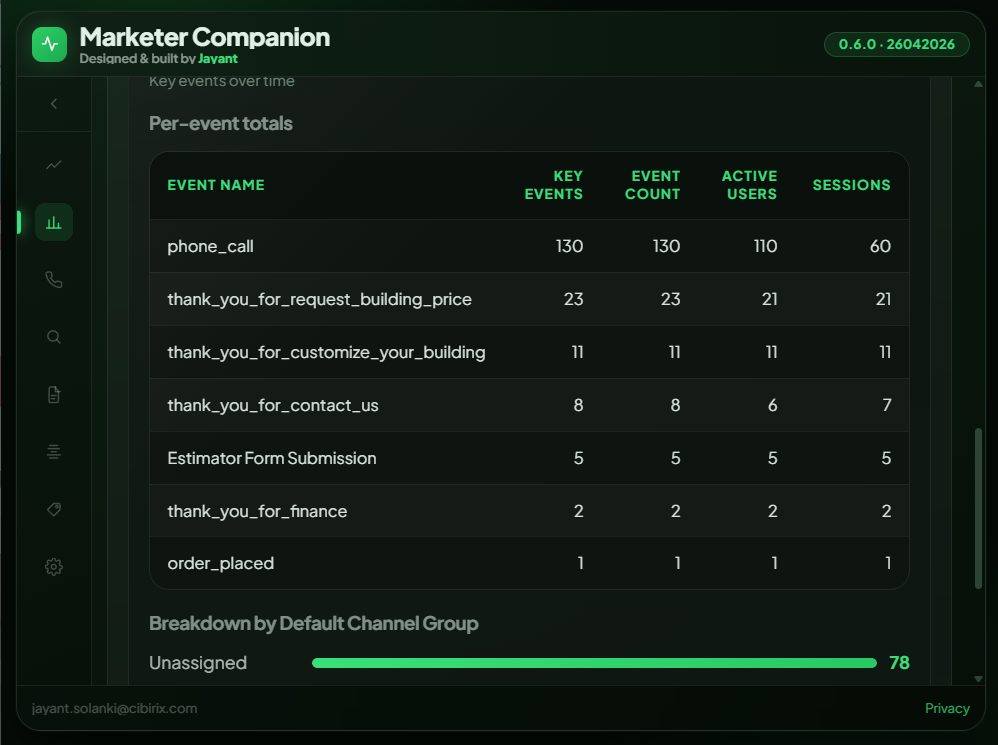
Select Overview or Key Events mode. Inspect active users, sessions, pageviews, and custom conversions with default channel grouping – then compare to previous periods with zero friction.
- Overview & Key Events tracking modes
- Default Channel Group attribution breakdown
- Period comparison and one-click CSV export
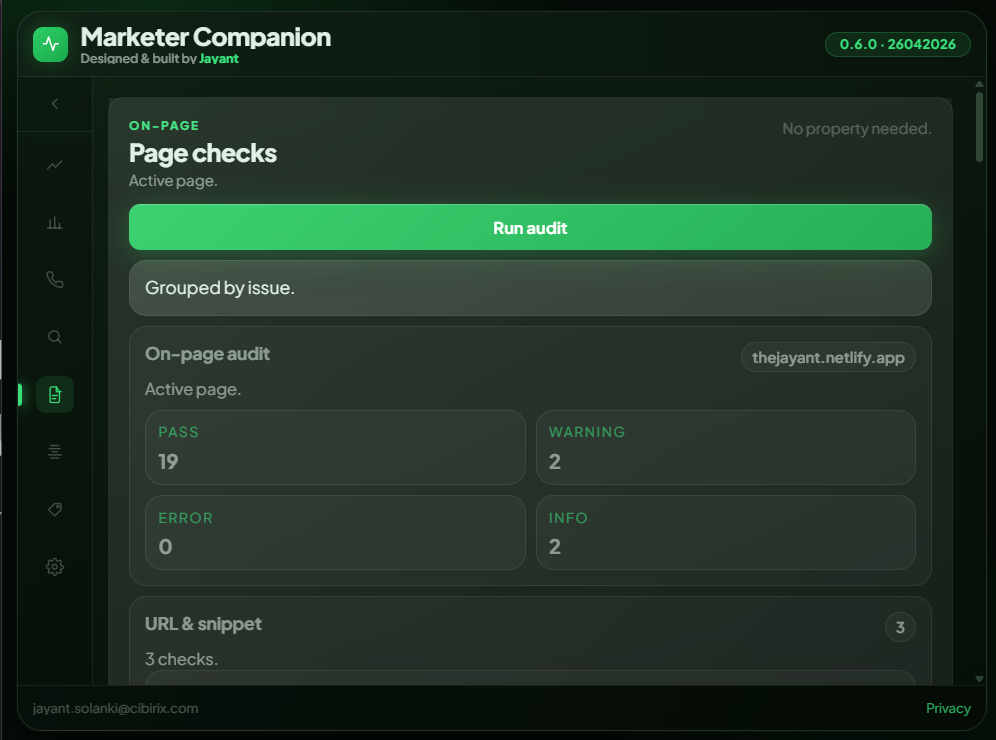
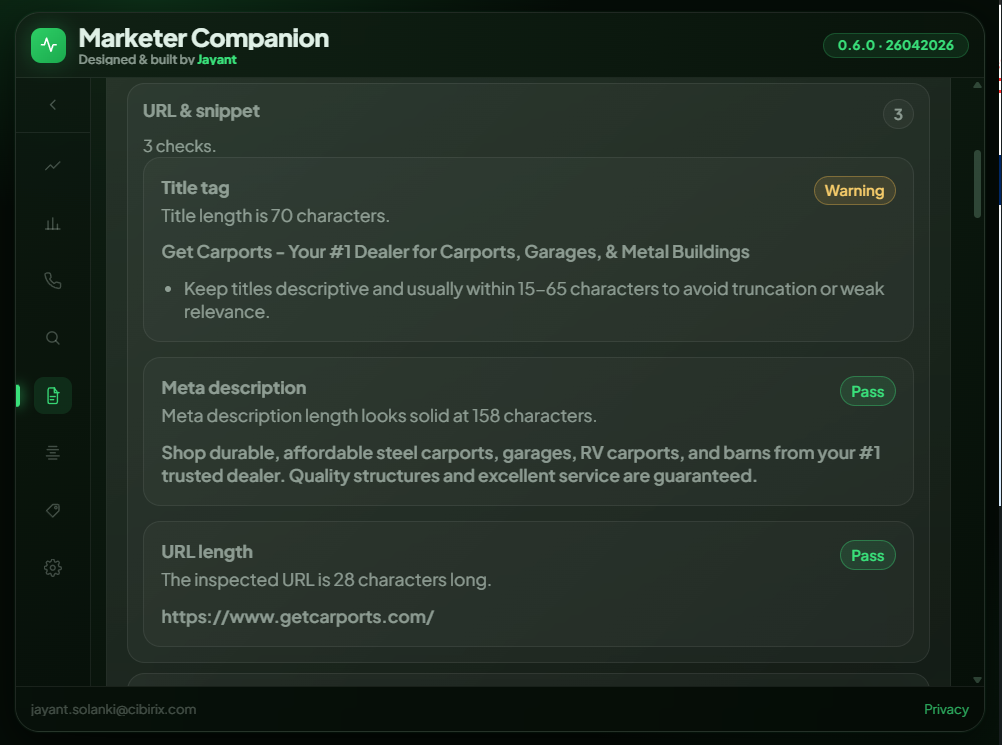
Instant on-page health diagnostics for any web page.
Click Run Audit and get an actionable score breakdown of your page's technical elements. Meta descriptions, title pixel lengths, URL structure, heading trees, canonicals, and open graph tags.
- 19+ audit checks across meta, headings, canonicals, and assets
- PASS / WARNING / ERROR scoring with clear remediation notes
- Works client-side on any live page instantly
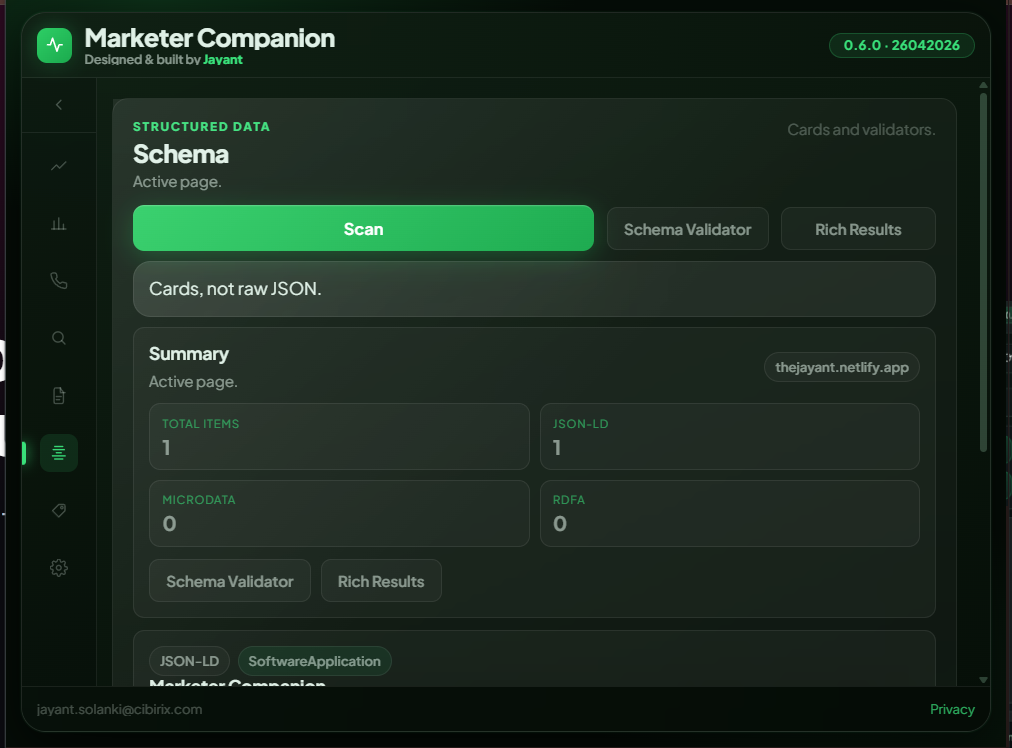
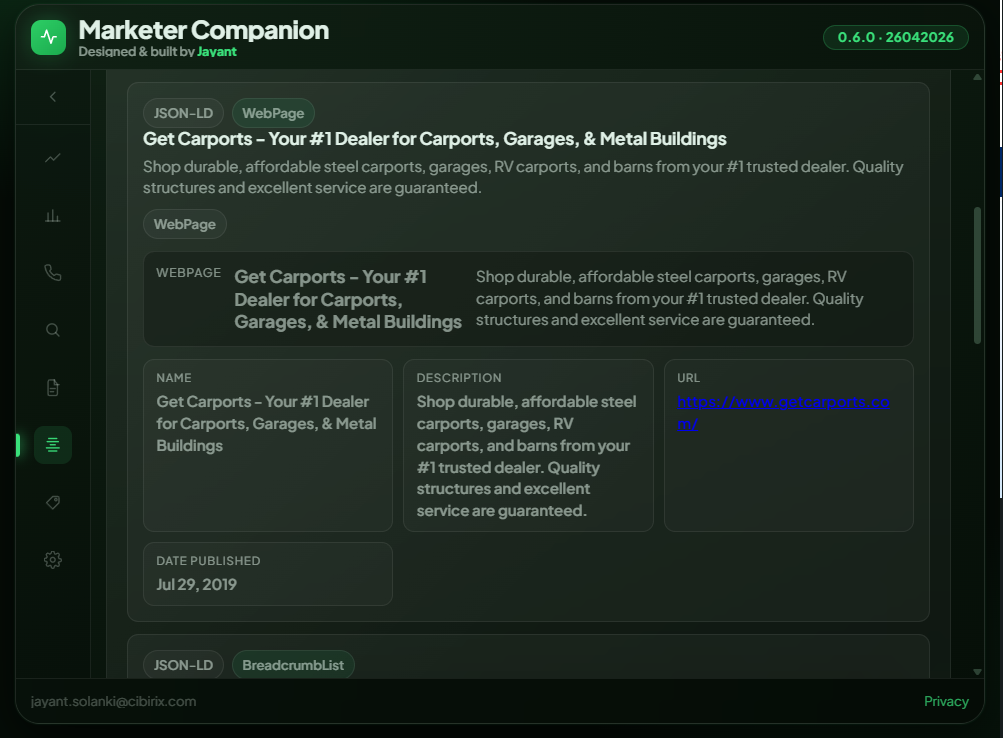
See every schema on the page – formatted as readable cards.
Scan the active page for all structured data markup. Results are parsed into elegant visual cards rather than raw messy JSON code, with instant links to Schema Validator and Google Rich Results.
- JSON-LD, Microdata & RDFa extraction
- Visual property inspection for key schema types
- One-click handoff to Google Rich Results Test
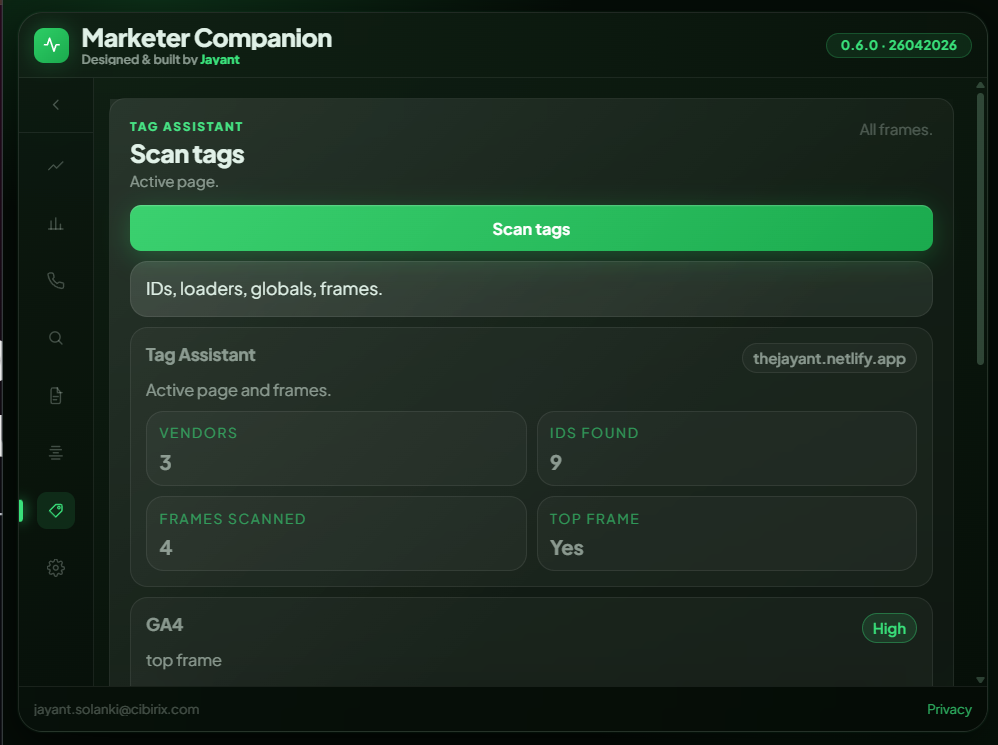
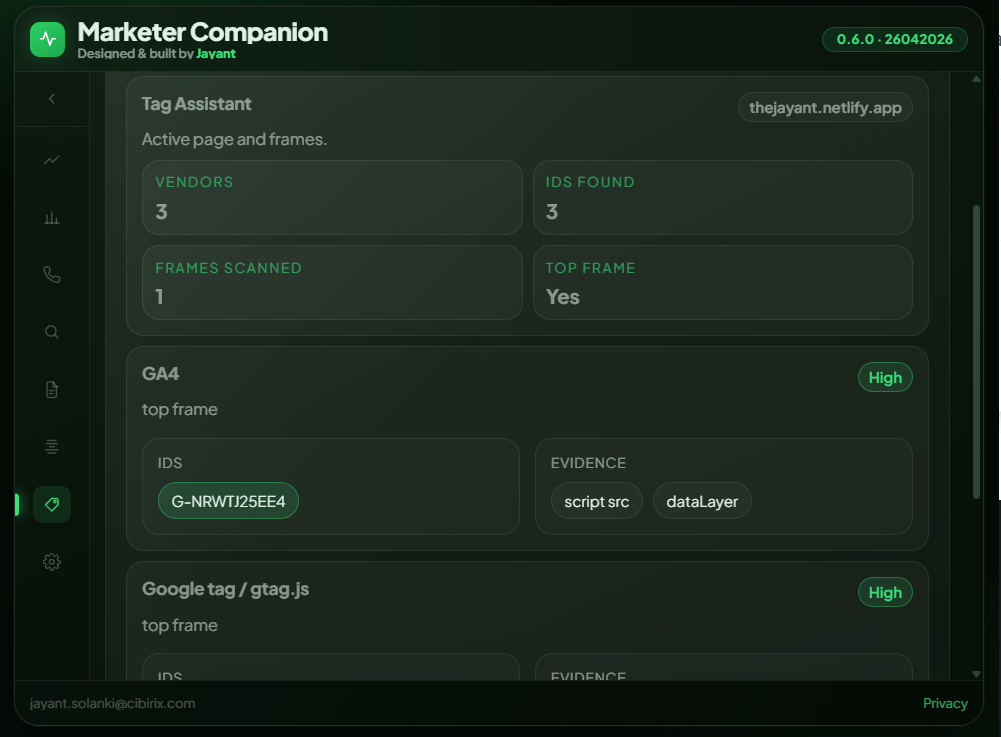
Discover every tracking tag & pixel active on the page.
Scan all top-level and nested frames to audit analytics, advertising, and marketing tags. See active GA4 IDs, Google Tag Manager containers, Meta Pixels, and custom scripts with exact evidence paths.
- Vendor identification across all frames
- Exact container IDs and loader detection
- Confidence ratings & network trigger locations
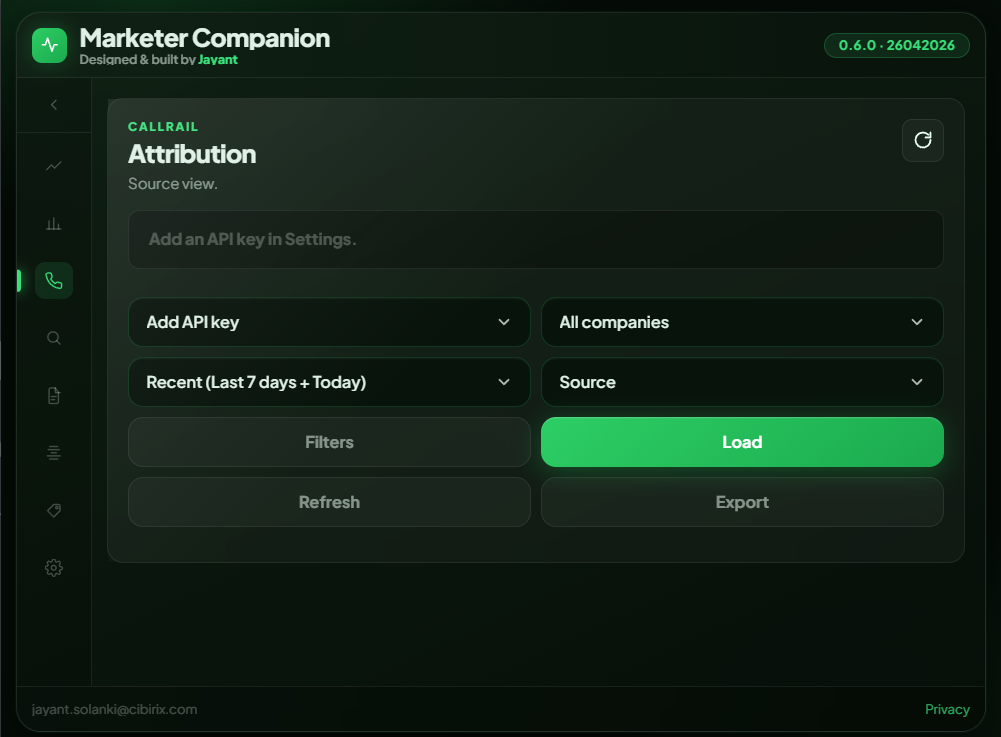
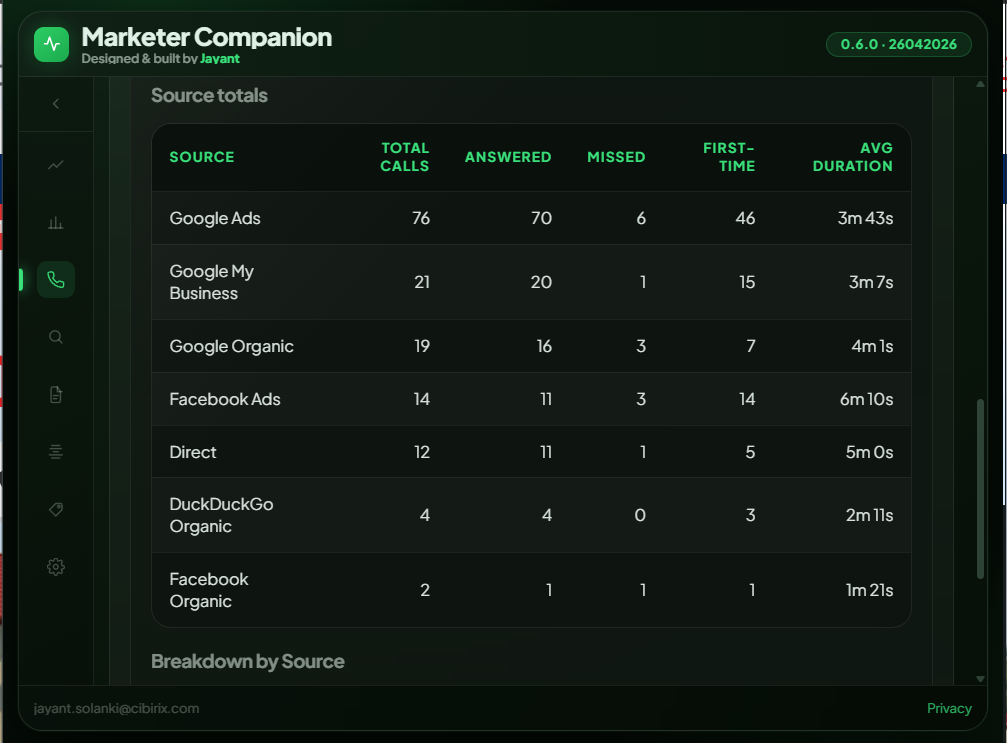
Call attribution metrics alongside your organic SEO.
Connect your CallRail account securely in Settings. Instantly analyze total, answered, and missed call volumes grouped by acquisition channel – Google Ads, Organic Search, Social, Direct, and more.
- Total, answered & missed calls with delta percentages
- Multi-source attribution table
- Filter by sub-account/company & custom date range
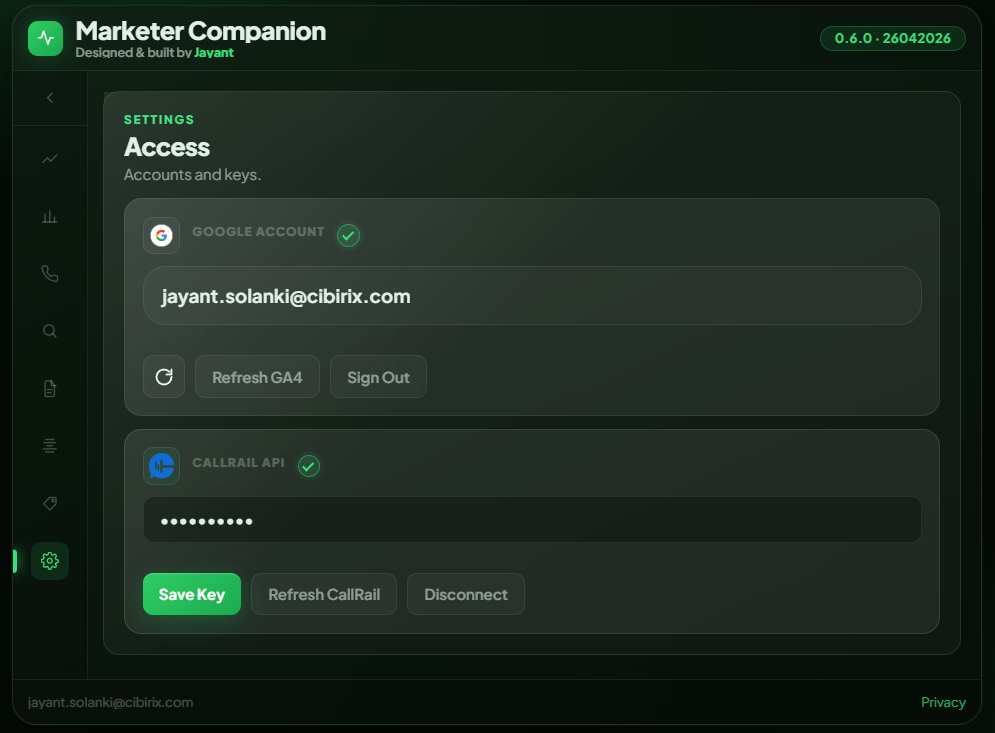
One-time setup. Everything securely connected.
Sign in once with Google OAuth to grant direct access to GSC and GA4. Optionally add your CallRail API key. All authorization tokens are stored exclusively in your browser's local sandbox – never on external servers.
- One-click official Google OAuth login
- API keys encrypted and stored in local chrome.storage
- Sign-out instantly purges all local cached tokens
Productivity Multiplier
One click. Total clarity.
Without Marketer Companion
- Open Google Search Console in tab #1, GA4 in tab #2.
- Export three CSVs and reconcile organic sessions against clicks by hand.
- Inspect source code to hunt down canonicals and meta tags.
- Manually take screenshots and compile fragmented data.
- Constant context-switching drains your workflow.
With Marketer Companion
- Open one unified popup on the exact page you're inspecting.
- Instant tab switching across GSC, GA4, Audit, Schema, Tags.
- Inspect live indexing status with real Googlebot data.
- View CallRail inbound calls alongside organic performance.
- Close popup and move forward. Work done in seconds.
Quick Setup
Get up and running in 60 seconds.
Add to Chrome
Install directly from the official Chrome Web Store for free.
Connect Google Account
Sign in with the Google account that has access to your GSC & GA4 properties.
Audit Any Page
Click the extension icon on any live tab for immediate 8-in-1 insights.
Privacy & Security
Your data stays 100% yours.
What It Does
- Uses Chrome's identity service to authenticate you with Google. Tokens stay in your browser.
- Keeps your CallRail API key for the current browser session only – it clears when you close Chrome.
- Caches report data in session storage so reopening a report doesn't re-query the APIs.
- Uses activeTab only when you explicitly open the popup, and runs DOM audits locally.
- Loads its typeface from Google Fonts, so Google sees your IP when the interface opens.
What It Never Does
- There is no developer server. Data travels only between your browser and Google's and CallRail's own APIs.
- Never tracks or logs your browsing history or visited URLs.
- No analytics, advertising, error reporting or profiling of any kind. Nothing is sold or shared.
- Signing out clears stored accounts and cached data, and revokes the token with Google.
Practitioner-Built Software
"I built Marketer Companion from 6+ years of hands-on SEO leadership – solving the daily tab-juggling and diagnostic bottlenecks that slow strategists down."
Jayant Solanki
AI-Ready SEO, GEO & AIO Strategist
Global Experience: UAE · US · India · Global Markets
Visit Jayant's Full Portfolio Site
iProspect India
WATConsult
Dentsu
Techmagnate
CIBIRIX

Answers
Frequently Asked Questions
Is Marketer Companion really free?
Yes! All eight core features are completely free during the v0.x beta release.
Will there be paid enterprise plans?
Future premium power features (such as bulk team workflows and automated scheduled crawl monitoring) may be introduced later, but the core 8-tab diagnostic toolkit will remain free for practitioners.
What Chrome permissions does the extension require?
Five, and every one is used: identity for Google OAuth sign-in, storage to keep your settings and cached reports locally, activeTab to read the active tab URL, scripting to run the on-page and structured data scan on request, and sidePanel to open the same interface in Chrome's side panel. Host access is limited to the APIs it calls: Search Console, GA4, Google OAuth and CallRail.
Does it store or forward my Search Console or GA4 metrics?
No. All API calls execute directly from your browser client to Google or CallRail endpoints. Zero intermediate servers are used, and no user data is collected or analyzed.
Will it slow down my browser performance?
No. It's a Manifest V3 extension, so its service worker sleeps when idle and wakes only for an action you trigger. Nothing fetches until you press Run, so no API quota is spent while you set a report up.
Does CallRail integration require a paid account?
Yes, you will need an active CallRail account with an API key. Your key is held for the current browser session only and is cleared when you close Chrome. Call transcripts are a paid CallRail add-on – if your plan doesn't include them, the extension says so rather than showing an empty panel.
Get Started Today
Turn every browser tab into an SEO command center.
Get the answers you need in one unified popup, right where you work. Ditch the tab-switching for good.
Takes under 30 seconds · Works with your existing GSC & GA4 setup · 100% Client-Side & Private