
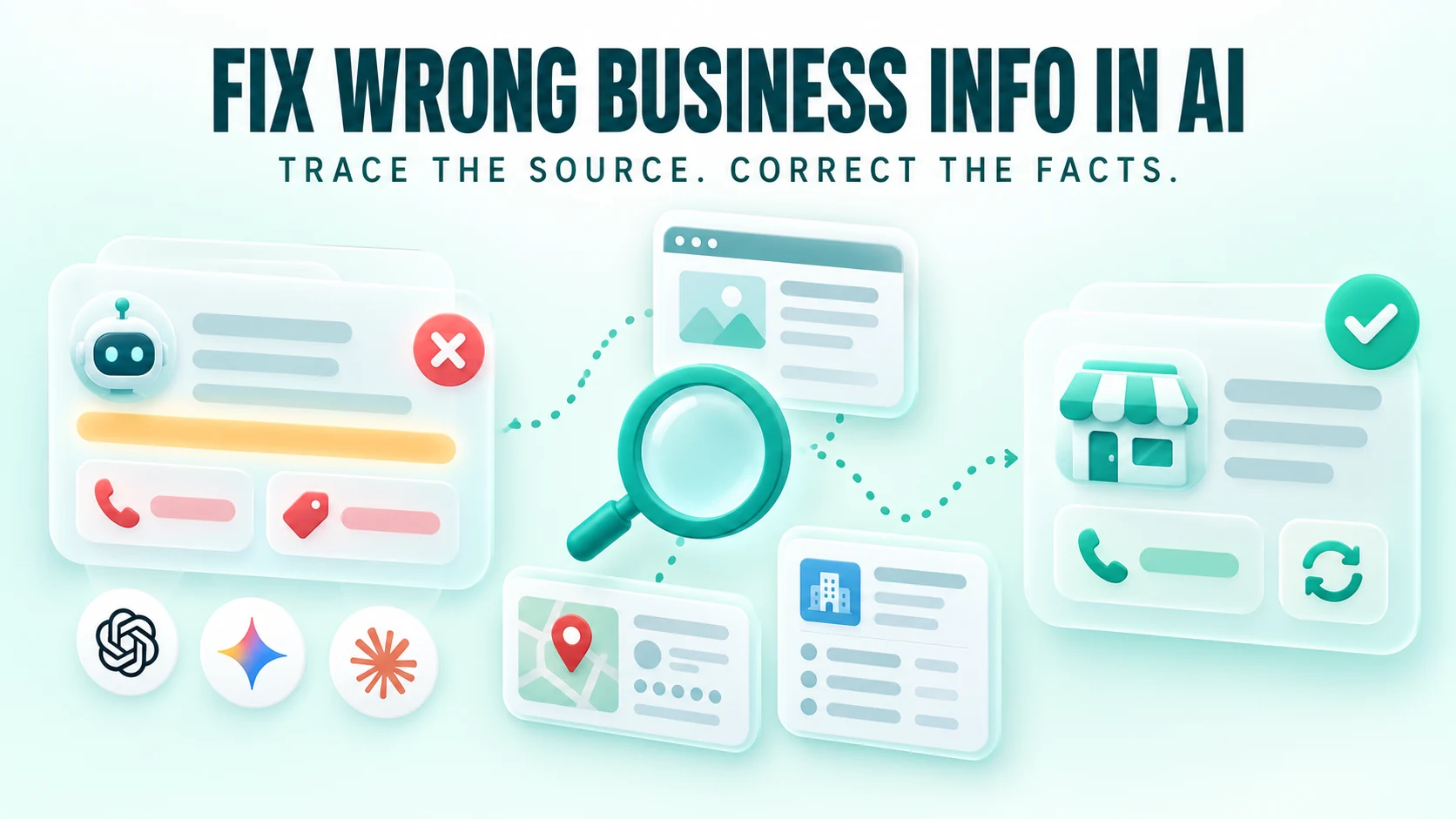


An AI assistant has found your business. It names the company, describes your services and may even link to your website.
Then you notice the problem: the phone number is wrong, an old price is presented as current, or the answer promises something you never offered.
To correct inaccurate business information in ChatGPT, Gemini or Claude, save the exact claim, verify the current fact, inspect the supporting sources and correct the information at the source you can control. Then report the inaccurate response where appropriate and retest independently.
There is no universal business-details form that edits every generated answer. Changing your website, updating a business profile and submitting feedback to an AI provider are different actions. Each addresses a different part of the problem.
This guide explains how to choose the right action without rewriting your entire website or paying for an unsupported promise of an immediate fix.
What should you do first?
Do these five things before changing public content:
- Save the full answer, exact question, date and visible model or mode.
- Identify the specific wrong statement rather than labelling the whole response “wrong.”
- Confirm the correct fact with the person responsible for it.
- Open the cited pages and check whether they support that statement.
- Assign the correction to the source owner, or record that no source has been established.
If the assistant cannot retrieve your website at all, begin with the website-access troubleshooting guide. Here, the problem is the information in the answer, not simply whether the page can be opened.
Not every unwanted answer is a factual error
A wrong phone number is a factual error. An assistant choosing a competitor is a different issue. A cautious answer saying “contact the business to confirm availability” may be entirely appropriate.
Before correcting anything, classify the problem.
| What the answer says | Type of issue | What to verify |
|---|---|---|
| An old phone number is current | Outdated fact | Current number and the public pages carrying the old one |
| Your rental company sells furniture | Incorrect business model | Your actual offer and the cited wording |
| You have an office in a city you only serve | Location confusion | Physical premises versus service area |
| Delivery is free when charges vary | Missing or invented condition | The policy and any old promotion |
| A discontinued product is available | Time-sensitive fact | Current catalogue, market and stock status |
| No minimum order was found | Potentially valid uncertainty | Whether an approved minimum is publicly documented |
| Your business is absent from a shortlist | Discovery or selection issue | The question, customer requirements and available evidence |
Focus first on claims that could mislead someone about what to buy, what it costs, whether you can fulfil the request or how to contact you.
Why can AI get a business wrong even when the website is correct?
The answer may involve more than your current homepage.
It could cite an old directory, combine two similarly named companies, retrieve an outdated page or make an inference that the source does not support. A conversation can also contain earlier information that influences later answers.
These are possibilities to investigate, not explanations you should assume in advance.
OpenAI explicitly advises users to check search citations because results can be incomplete, outdated or incorrect. Google explains that Gemini links can include related content and that not every response includes sources. Anthropic advises checking Claude's responses against sources when accuracy matters.[1][2][3]
A citation is a starting point for investigation. It is not proof that the entire paragraph is grounded in that page.
Step 1: preserve the answer before correcting it
Save the full response before asking the assistant to reconsider.
Record:
- The exact prompt and any relevant earlier conversation.
- The assistant, visible model or mode and date.
- Whether search or other connected sources were available.
- The full answer and source links.
- The wrong claim copied exactly.
- Your target country, language and product market where relevant.
Do not rely on a cropped screenshot that removes a qualification such as “historically” or “subject to confirmation.”
Also note whether you were using a project, uploaded files, memory or connected documents. A response based on an old document in your workspace requires a different investigation from a public web answer.
Preserve enough evidence to understand the issue without exposing private customer information in a public article or correction request.
Step 2: establish what the correct fact is
Create a small reference record before challenging the answer.
| Field | What to record |
|---|---|
| Incorrect claim | The precise statement made by the assistant |
| Approved fact | The current answer verified by the business |
| Scope | Location, product, variant, market or customer group |
| Effective date | When the fact became current |
| Public evidence | The page or profile that establishes it |
| Business owner | Who can approve changes to this information |
Scope is especially important for prices and policies.
A product might have different prices across currencies, sellers or variants. A refund policy may differ for custom orders. A company can deliver to a city without maintaining an office there.
Resolve those distinctions before deciding the assistant is wrong.
If the fact is true but not public
Suppose your team knows that a service requires a minimum order, but no public page states the amount. An assistant saying “the minimum is not established from the sources checked” is not necessarily failing.
Decide whether customers need the information and whether it should be published. If so, add approved wording to the relevant service or policy page.
Do not fill an audit with internal facts and then expect a public assistant to discover them.
Step 3: inspect the source behind each claim
Open the citation nearest the incorrect sentence. Find the exact wording that supposedly supports it.
Ask four questions:
- Is this the right business?
- Does this page actually make the claim?
- Does it describe the same location, offer, product and time period?
- Does the answer preserve the page's conditions?
For a price, check the unit, currency, taxes and whether it is a starting price or limited promotion. For a location, check whether the page lists a branch, a delivery area or a past event.
Do not accept a homepage citation as proof of a detailed claim simply because the business name appears on that homepage.
When the citation does not support the answer
Record the mismatch directly:
The answer states that setup is included. The cited page says setup is available at an additional charge.
That is stronger evidence than “the assistant misunderstood our business.” It gives a reviewer something concrete to verify.
When there is no citation
You can ask the assistant to substantiate the statement, but treat any newly supplied source as a candidate for inspection. It is not proof of what influenced the earlier answer.
You stated: “[EXACT CLAIM].”

Please check whether current public sources support this claim.
Provide the relevant URL and a short supporting excerpt.

If you cannot substantiate it, say that it is unverified.
Do not invent a source or claim certainty about how the earlier
answer was generated.
You can also search independently for the business name plus the disputed number, address or phrase. If the same wrong fact appears elsewhere, you have found a possible source to correct—not necessarily proof that the assistant used it.
If you cannot establish a source, keep “source unknown” in your log. Do not rewrite the website around a guessed cause.
Step 4: choose the correction route
Use the evidence to decide who needs to act.
| Where the problem is | Who can act | Best next action |
|---|---|---|
| Your website has the wrong fact | You or your website editor | Correct the page and related contradictory copies |
| Your structured data has stale values | Your developer or SEO | Align the markup with the correct visible information |
| A business profile you manage is wrong | An authorised profile manager | Edit the relevant fields and check publication status |
| An external directory or article is wrong | Its owner or editor | Request a documented correction |
| Another company is being confused with yours | You and relevant source owners | Clarify identity and correct misattributed records |
| A source is accurate but the answer changes its meaning | The AI provider can receive feedback | Submit the evidence and monitor recurrence |
| No supporting source is identifiable | Investigation remains open | Report the unsupported claim and avoid speculative fixes |
You may need more than one route. An old price could exist in your PDF, a directory and a cached search result at the same time.
Correcting information on your own website
Fix the page that should answer the customer's question first. Then inspect other pages that repeat the same fact.
Common places to check include service descriptions, contact pages, footers, pricing tables, FAQs, product pages, downloadable documents and structured data.
Use your CMS search or a site crawl where appropriate. A search-engine site: query can help locate indexed references, but it is not a complete inventory of your website.
Replace ambiguous wording with a precise statement
Consider this fictional service claim:
Fast delivery across the region. Setup available.
It leaves the reader with several unanswered questions: which region, whether setup is included and whether every order qualifies.
A clearer version, if factually correct, could be:
We deliver event-rental furniture in Dubai and Abu Dhabi. Delivery and setup are quoted separately according to the order and venue. Availability must be confirmed before booking.
The second version helps a customer understand the offer. Its purpose is clarity; it is not a formula that forces every assistant to repeat the same words.
Put conditions beside the offer
Do not publish “free delivery” in a large heading and place an important exception only on a remote policy page.
For prices, say what the amount covers. For timelines, attach the scope and prerequisites. For service areas, distinguish locations served from physical branches.
Check rendered content and markup together
An updated page may still expose an old value in a cached template, JSON-LD block or downloadable file.
Google's Search guidance says structured data should match visible content and that special AI schema is not required for AI Overviews or AI Mode. This is guidance for Google's Search features, not a promise of accuracy across every assistant.[4]
Update genuine facts wherever they are published. Do not add hidden keyword-heavy corrections or fabricated reviews to influence an answer.
Correcting Google Business Profile and other listings
If a profile you manage shows the wrong address, hours, phone number or website, use that platform's normal editing process.
Google documents editing a verified Business Profile through Search or Maps using an authorised account. Changes can be reviewed before appearing publicly, so verify the live result after saving.[5]
Keep the relationship clear: editing a Google Business Profile changes that profile. It does not directly edit all answers produced by Gemini, ChatGPT or Claude.
For other directories, follow their ownership or correction process. Prioritise sources that the inaccurate answer cites and profiles your customers actually use.
Consistency means that the details refer to the same real business and location. Formatting variations in an address are less urgent than an incorrect phone number, a closed branch presented as open or a service area shown as an office.
Requesting a correction from an external publisher
Keep the request short, specific and easy to verify. Identify the page, the exact statement and the public evidence for the replacement.
Subject: Business information correction on [PAGE TITLE]

Hello,

Your page [PAGE URL] currently states:
“[INCORRECT STATEMENT]”

The current information is:
“[ACCURATE REPLACEMENT]”

This is confirmed on our official page: [PUBLIC EVIDENCE URL].
The change took effect on [DATE, IF RELEVANT].

Please could you update the statement, or let me know what
verification you need? I am [ROLE] at [BUSINESS].

Thank you,
[NAME]
If the original article accurately describes a past event, ask for a dated update or clarification where appropriate. Historical reporting does not always need to be rewritten as if the past never happened.
Record the request and its outcome. Do not treat an unanswered request as a completed correction.
What if AI confuses your company with another business?
Check the identifying details rather than merely repeating the business name more often.
Compare the domain, location, contact details, business category and any unique public identifiers appropriate to the company. Check whether your own page clearly describes the entity and links to the profiles you actually control.
For example, two companies can share a similar name but operate in different countries. An answer combining one company's phone number with the other's services is an identity error.
A useful public business description states the name, offer and location together. If a legitimate rebrand occurred, explain the relationship to the former name where customers need that context.
Use a search prompt that disambiguates the company, then compare it with a less specific buyer-style question. If only the highly specific prompt works, record that limitation rather than calling the broader issue solved.
Reporting inaccurate responses in ChatGPT, Gemini and Claude
Source corrections and response feedback can be pursued together. They serve different purposes.
| Platform | Feedback route | Useful evidence to include |
|---|---|---|
| ChatGPT | Available response feedback or reporting controls | Exact claim, why it is wrong and a public supporting source |
| Gemini | Bad-response feedback or the documented reporting options | Incorrect statement, correct fact and relevant source |
| Claude | Thumbs-down feedback where available | Claim, cited-source mismatch and public evidence |
OpenAI, Google and Anthropic document these feedback routes. Options can vary by interface and workspace settings.[6][7][8]
Use ordinary factual feedback for an ordinary factual problem. Select other report categories only when they accurately apply.
Submitting feedback does not establish that every future answer has changed. It also does not correct a directory, website or uploaded document that still contains the wrong information.
Avoid sharing private contracts or customer records merely to challenge a public answer. A concise explanation with appropriate public evidence is usually the clearer starting point.
An illustrative correction: the invented free-delivery promise
Imagine a fictional business, Cedar Event Hire. Its current website says delivery is quoted separately. An assistant nevertheless tells a customer that all orders include free delivery.
Here is a reasonable investigation:
- Save the exact answer and the customer's question.
- Confirm that the claim concerns the current market and offer.
- Open the cited page.
- Find a past campaign page offering free delivery for a limited period.
- Check whether its expiry is clear and whether current pages link to it misleadingly.
- Clarify the expired offer without erasing useful historical context.
- Make current delivery conditions easy to find on the relevant service page.
- Report the answer's unsupported generalisation and retest.
This example is hypothetical. It does not demonstrate how frequently the issue occurs or prove that editing an expired campaign always corrects an AI answer.
If the cited page had never promised free delivery, the finding would be different: the assistant added a condition the evidence did not support. Preserve that distinction.
How long does it take for corrected information to appear?
There is no reliable universal deadline for correcting generated answers across ChatGPT, Gemini and Claude.
Several separate events may be involved: publishing the correction, clearing a stale cache, a platform reviewing a profile edit, a crawler revisiting a page and an assistant selecting different evidence on a later run.
For your own Google-indexed page, Search Console offers a recrawl request process. Google says crawling can take days to weeks and that requesting a crawl does not guarantee inclusion. That is a Google process, not a refresh command for other assistants.[9]
Do not promise that correcting a sentence will “retrain the AI” overnight. Updating a public source and changing a model's learned information are different things.
How to retest without fooling yourself
Start a fresh conversation and use the original prompt. Record the same visible configuration and target market where possible.
Run two checks separately:
- Direct-source check: supply the corrected URL and ask what the page states.
- Independent-search check: ask the original business question without supplying the corrected answer or URL.
If you paste the correction into the prompt, you are testing how the assistant uses supplied information. That can be useful, but it does not establish independent discovery of the correction.
Repeat the checks across ChatGPT, Gemini and Claude. Three fresh runs per condition are a practical starting point for spotting inconsistency, not a statistically representative sample.
Use labels that describe what happened:
| Outcome | Meaning |
|---|---|
| Correct and supported | The answer preserves the fact and supplies relevant evidence |
| Correct but unsupported | The fact is right, but evidence is missing or insufficient |
| Still incorrect | The checked claim remains wrong |
| Mixed | The answer contains a combination of correct and incorrect claims |
| Not established | It appropriately acknowledges missing evidence |
| Retrieval failure | The test could not establish access to the intended source |
Keep unsuccessful runs. Do not select only the corrected answer for your report.
For the full reference-sheet and scoring approach, use the website facts test.
Keep a correction log your team can use
A simple shared record is enough to begin:
Issue ID | Business/location | Platform | Test timestamp
Prompt and visible model/mode | Exact incorrect claim
Approved fact and effective date | Public evidence URL
Cited source | Source relationship: verified/candidate/unknown
Severity | Correction owner | Action taken | Publication date
Feedback submitted | Retest dates | Full retest outputs | Status
Keep different completion stages visible. “Website corrected” is not the same as “external publisher updated,” and neither proves “all AI answers corrected.”
Prioritise errors that can divert customers or create false commitments. Review lesser wording differences only when they materially change meaning.
If you later build an automated monitoring workflow, its job should be to save permitted outputs, compare approved facts and flag suspected changes for review. Failed collection should trigger an alert. It should not silently turn a model's unverified response into a new business fact or automatically rewrite public policies.
What should you avoid?
Do not publish dozens of duplicate correction pages. Put the correct fact where customers expect to find it, then resolve contradictory sources.
Do not invent public evidence. Fake reviews, awards or directory entries create a larger trust problem.
Do not treat every omission as misinformation. An assistant not recommending you is not the same as publishing a wrong address.
Do not assume a citation reveals the complete source history. It shows evidence to inspect, not every internal influence on generation.
Do not promise a global fix from one good retest. Report the tested question, dates, platforms and observed outcomes.
Do not change a correct policy simply to match the AI answer. The approved business fact remains the reference.
Frequently asked questions
How do I fix wrong business information in ChatGPT?
Save the exact claim, verify the correct fact, inspect citations and correct any wrong public sources you control. Request external corrections when necessary, submit response feedback with public evidence and retest in a fresh conversation. There is no guaranteed immediate update across every answer.
Can I directly edit what Gemini or Claude says about my business?
You can correct sources you own and submit feedback through available controls. That is different from having an editable business record that controls all generated responses. Use the correction route that matches the source of the error.
Will updating Google Business Profile fix all AI answers?
It corrects information on that profile after the edit is accepted and published. It does not directly control every answer in ChatGPT, Gemini or Claude. Check the actual sources and later responses.[5]
What if my website is correct but AI still gives the wrong answer?
Check the cited sources, identity, scope and conversation context. If the answer goes beyond accurate evidence, report that mismatch. Record an unknown cause when the evidence does not establish one.
Should I create a page saying the AI is wrong?
Usually, start by clarifying the relevant service, pricing, contact or policy page. A public clarification may be appropriate when customers are repeatedly affected, but avoid amplifying a false claim unnecessarily or promising a result from an AI-specific correction page.
Does adding schema guarantee correct company information?
No. Keep relevant markup accurate and aligned with visible facts. It does not force an assistant to retrieve, select or interpret that information correctly.[4]
Is one incorrect answer enough to start work?
One serious error is enough to investigate. Repeated tests help establish whether it recurs, but do not delay fixing a verified wrong phone number or misleading public price on a source you control.
How do I know the problem is resolved?
Verify source corrections and report repeated fresh test outcomes separately. “Correct in the recorded retests” is a defensible status. “Permanently corrected everywhere” generally exceeds what a manual audit can establish.
Give customers a source they can check
Begin with the exact statement that could mislead someone. Confirm the approved fact, identify the evidence and correct the source you can actually change.
Clear offers, current contact details and consistent conditions help customers whether they arrive through Google, an AI assistant or a direct recommendation.
If you need help connecting the source investigation to website changes, request an AI-ready website audit. I can review the public facts, conflicting pages and technical access, then prioritise corrections according to their likely effect on customer decisions.
- Can AI understand your business? – the website facts test: reference sheet, three test tracks and scoring
- Why can't ChatGPT read my website? – diagnose access, redirects, firewalls and missing content
- AI gets your business details wrong (this guide) – trace the source and correct the facts
- Why does ChatGPT show old information? – find the outdated source and track the correction
- Domain changes, rebrands and AI search – preserve sources, test old links and identity after a move
- Can AI read your product catalogue? – variants, prices, units and availability, checked
- Does AI know where you operate? – offices, service areas, delivery and remote markets
Need the wrong answers traced and fixed?

I'm Jayant Solanki, an SEO, GEO and automation strategist. I review the public facts, conflicting pages and technical access behind wrong AI answers about your business, then prioritise corrections by their effect on customer decisions.
Ranked #1 for "metal buildings" · +30% YoY organic traffic · Evidence-labelled research
Sources
Documentation checked on 17 October 2026. The investigation workflow, prioritisation, prompts and monitoring recommendations are editorial guidance, not platform-endorsed standards. No comparative benchmark or guaranteed correction period is claimed.
- OpenAI: Searching the web with ChatGPT.
- Google: View related sources from Gemini Apps.
- Anthropic: Claude is providing incorrect or misleading responses.
- Google Search Central: AI features and your website.
- Google: Edit your Business Profile.
- OpenAI: Reporting content in ChatGPT and OpenAI platforms.
- Google: Send feedback or report a problem with Gemini Apps.
- Anthropic: Feedback for incorrect or misleading Claude responses.
- Google Search Central: Ask Google to recrawl your URLs.
Jayant Solanki
AI-Ready SEO, GEO & AIO strategist based in Indore, India. He works across technical SEO, analytics, website development and marketing automation for eCommerce, local-service and global businesses.
More about Jayant →